

Updates To Our TrustedForm Integration
TrustedForm has announced that as of December 31st of this year they will be moving away from and retiring v2 and v3 of their API. In order to ensure there are no interruptions, we have added a new TrustedForm integration that will need to be set up and configured, and as of December 31st the current v2 / v3 version of the TrustedForm API will cease to work. If you are not using the TrustedForm integration at this time then there’s no changes needed on your end, this only applies to users who are currently using the TrustedForm v2 / v3 integration with their campaign(s).
The latest updates to their API include changes to information required to claim and view TrustedForm session replays, new API schema, and updates to their TrustedForm Insights product. To learn more you can read their article going over v4 here.
What does this mean for our Lead Prosper users who are currently integrated with TrustedForm? Well, two things need to happen in order for you to be able to use our v4 integration with TrustedForm to validate and match the data that is being sent by your suppliers against the stored TrustedForm data.
For starters you need to confirm that your TrustedForm account is upgraded to use v4 of their API. To check you can log in to your account, visit this Settings page, and check the value under API Version. If you see anything other than 4.0 under API Version you will need to reach out to your account manager to discuss updating.
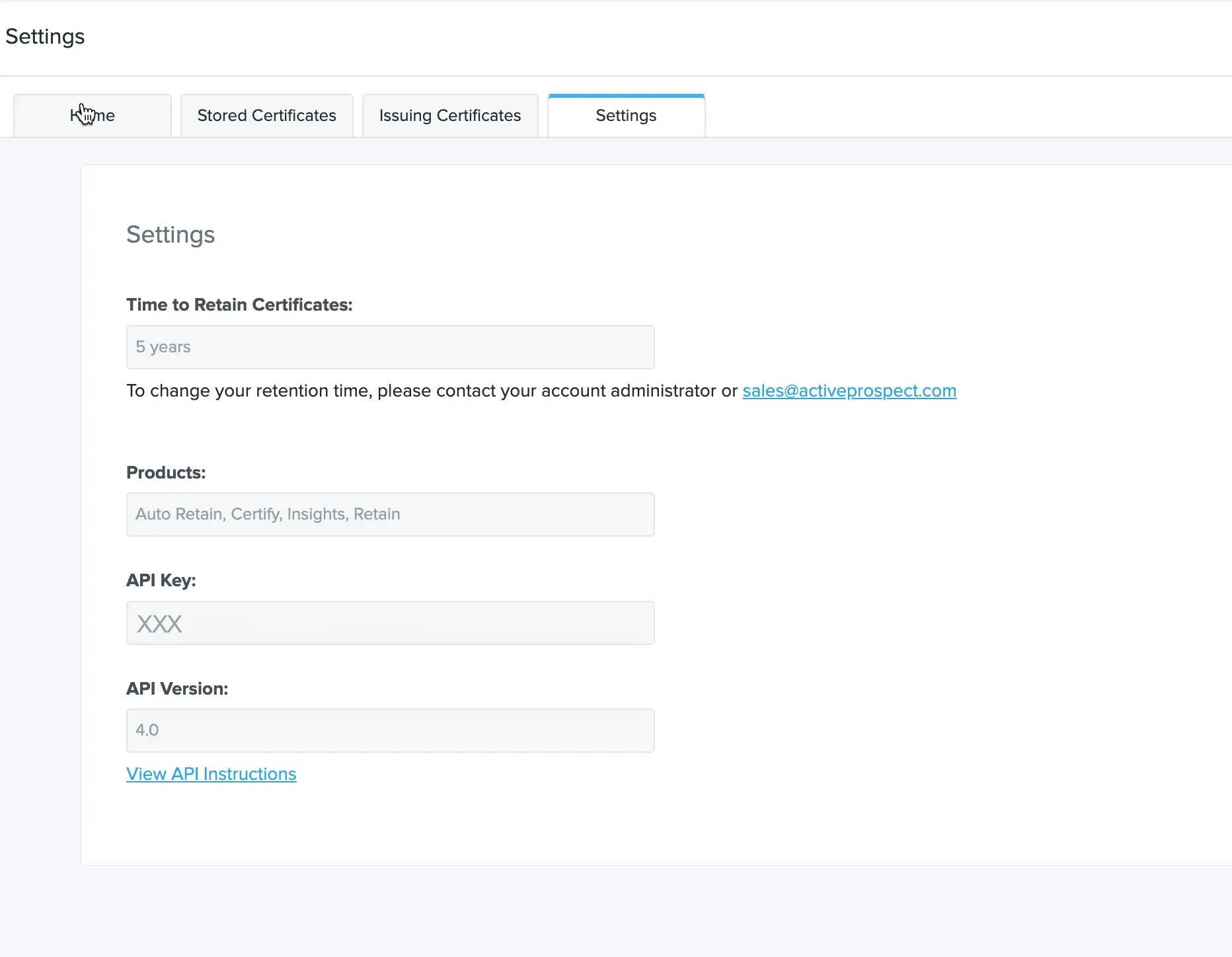
Once you have confirmed your account is set up to use TrustedForm API v4.0 you will need to go into each of your campaigns that are utilizing the TrustedForm integration and set up the new TrustedForm v4 integration, including the following updates.
- Due to changes to the requirements needed to retain and store a TrustedForm session replay users are going to be required to map the email and / or phone campaign fields in order to complete the TrustedForm integration.
- If you want to use TrustedForm Insights with your integration you will need to have at least a TrustedForm Professional account and the TrustedForm Insights product enabled. Check with your account manager to see if the updated Insights product is available with your account if you will continue to need access to that tool.
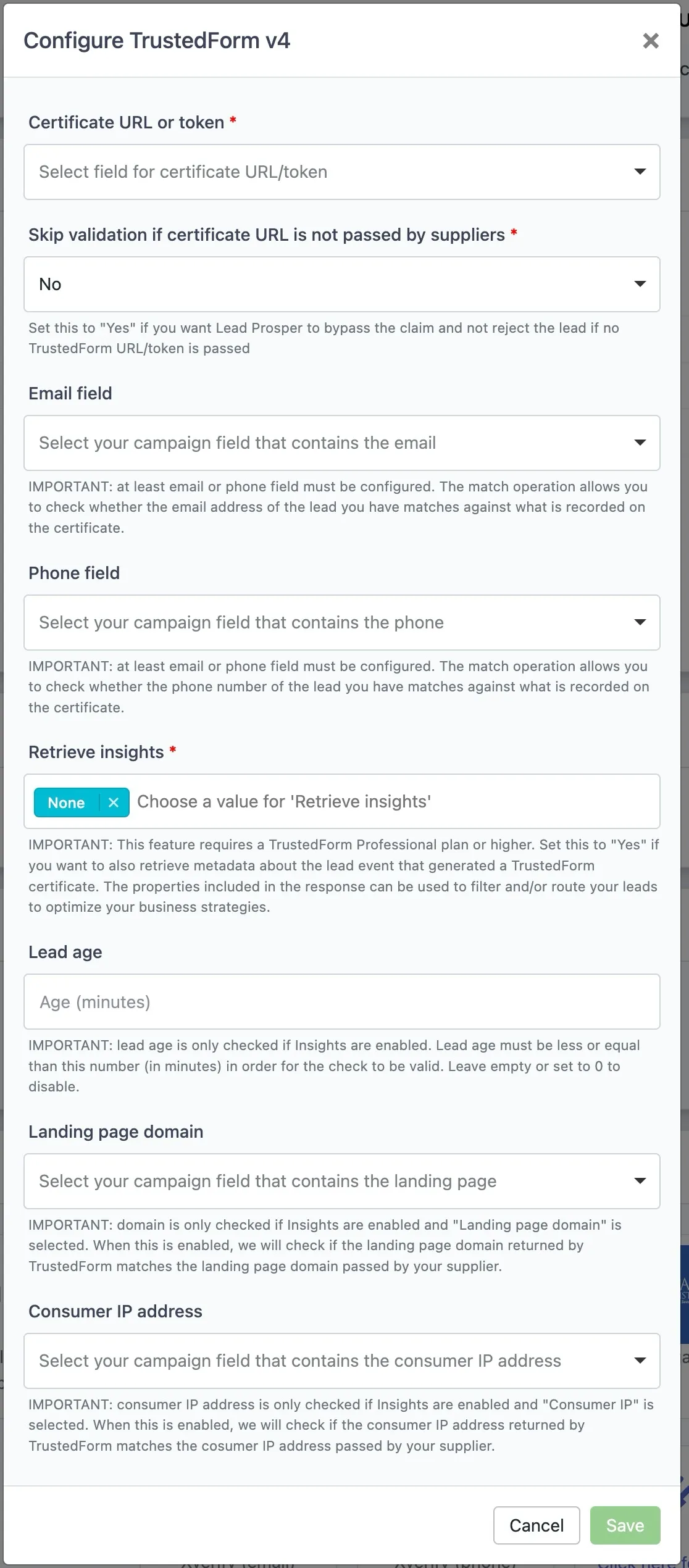
In order to get even more granular with validations you need to have Insights enabled in your TrustedForm account and you can then check against the following:
- Lead Age
- Landing Page Domain
- Consumer IP Address
Once you've finished configuring the new TrustedForm v4 integration with each of your campaigns, and confirmed that your TrustedForm account is set to use API Version 4.0, you will be able to use the upgraded integration to validate and match the data your Suppliers are sending against the TrustedForm stored data.
For a full support article going over the new TrustedForm v4 Integration, including set up and configuration, click here.
If you have any questions about the integration changes, or any other questions or concerns, please feel free to open a ticket with Support and someone will be more than happy to help!
Stay tuned for more exciting feature announcements!
-Lead Prosper Team